Hyfi Quick Sensor Swap Guide

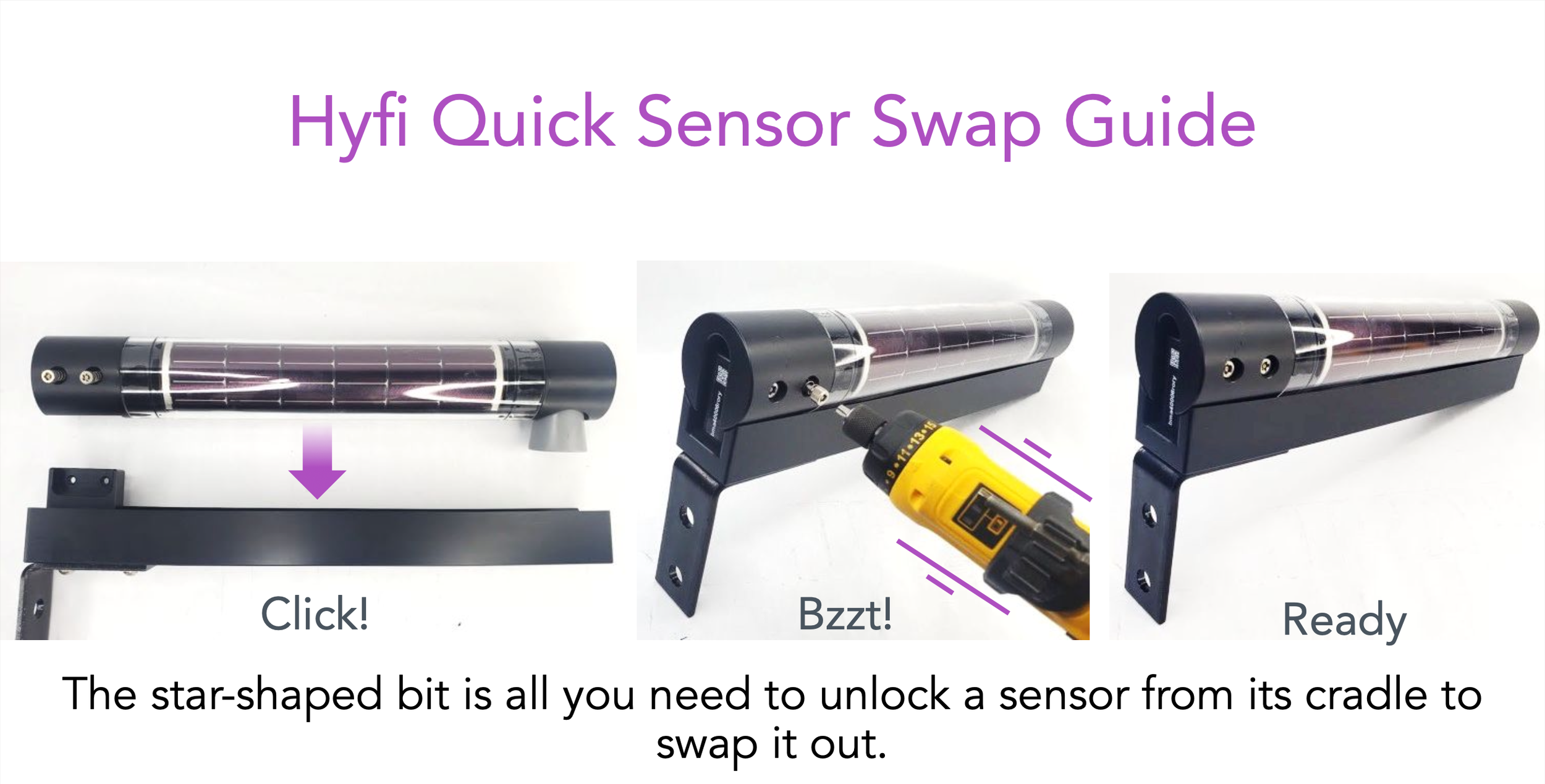
A step-by-step guide on how to swap a sensor in a Hyfi device. The first image shows a sensor with the caption 'Click!'. The second image depicts the sensor being opened with a tool, indicating a 'Bzzt!' sound. The third image shows the sensor reassembled and ready for use, with the caption 'Ready'. Text at the bottom explains that the star-shaped bit is used to unlock and swap the sensor.
A presentation slide titled 'Swapping in the Great Outdoors' with three photos of the Hyfi team swapping sensors in outdoor settings, including a person standing in water on a ladder, a person in a hi-vis vest and hard hat on a bridge, and a person standing in water with a sensor.
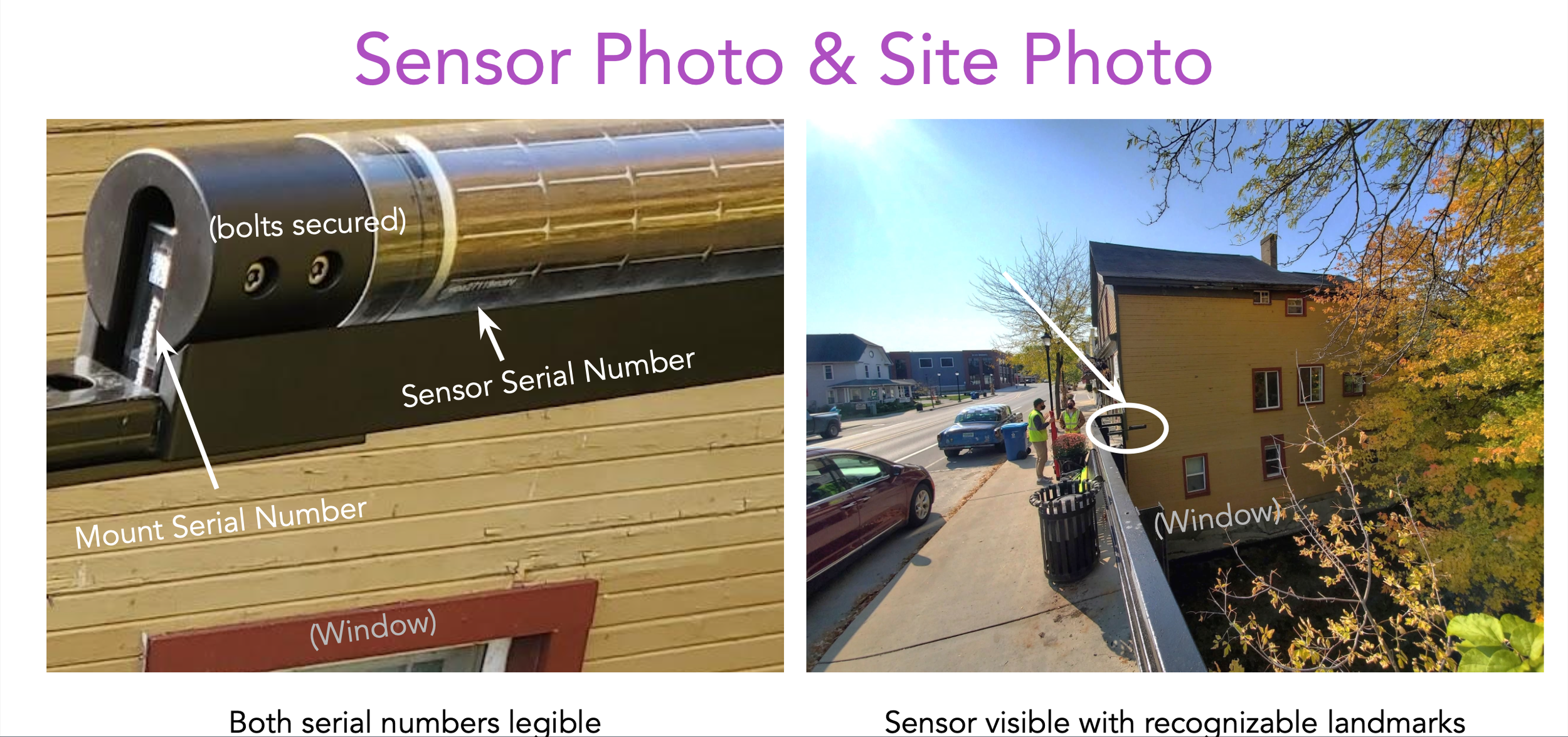
Comparison of sensor and site photo showing a mounted sensor with serial numbers secured, and a street scene with workers near a building with a window, both with recognizable landmarks.
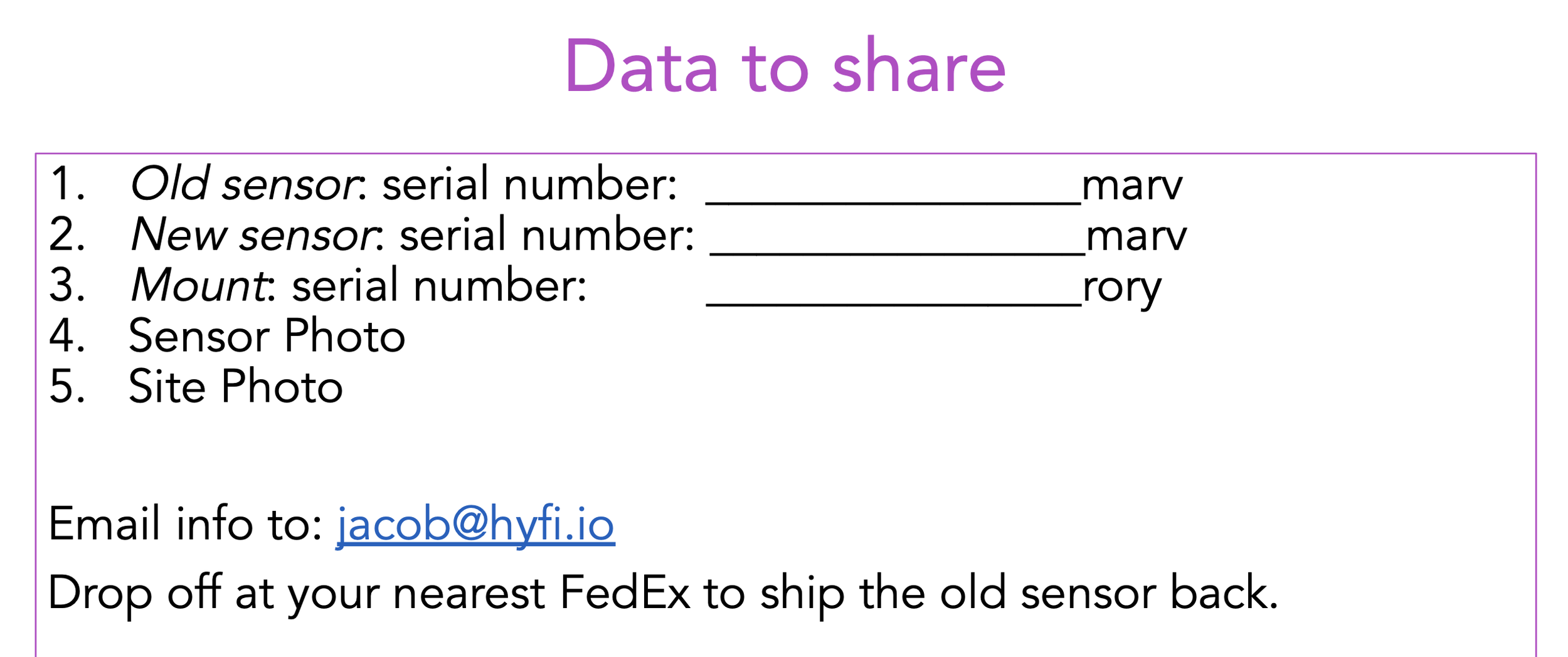
A printed form titled 'Data to share' with fields for old sensor, new sensor, and mount serial numbers, along with placeholder text for photos and email address, and instructions to ship the old sensor via FedEx.